Free Web Site - Free Web Space and Site Hosting - Web Hosting - Internet Store and Ecommerce Solution Provider - High Speed Internet
Search the Web

Autosurf.50megs.com/learn.html

Directions: choose any set of lessons and click the AutoSurf button to engage. Follow the autosurf button to get back if you get lost. Click here if you want more instruction on using the buttons.

  • Autosurf lessons testing ONE TWO THREE. Click to start (sample wave test number one).
  • Sample number one of an automatic series of (empty) lessons.
    Cool yes? We see...
    Lesson ONE | Lesson TWO | Lesson THREE

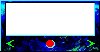
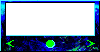
    These are the autosurf control buttons...

  • Autosurf logo
  • The green dot on in the middle indicates that AutoSurf-mode is activated.
  • Your student will be automatically linked to next lesson in your pre-set time.
  • Student may click on the green dot to pause at the current lesson.
  • Autosurf logo
  • The red dot on in the middle indicates that AutoSurf-mode is paused.
  • Left and right arrows link to last and next lessons respectivly.
  • Enter a Netword
    Get about the Netword

    © 1999 F. Davies
    Delphi O.E.M. Co.
    All rights reserved